Let’s keep it simple.
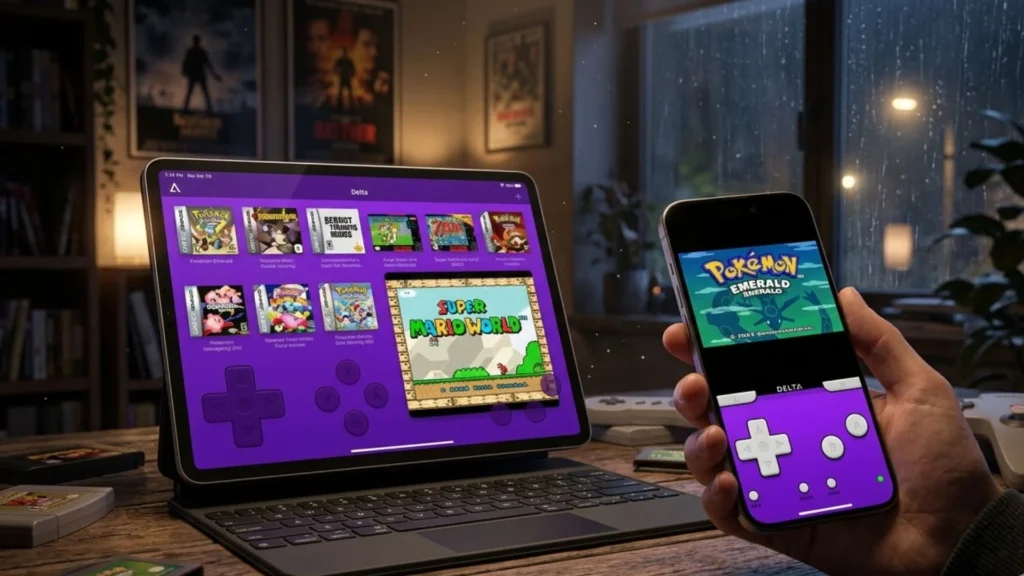
Delta iOS is a video game emulator.
Think of it as a translator. Your iPhone speaks one language. Old Nintendo, Game Boy, and SNES games speak another. Delta translates between them so they can chat.
It was made by a developer named Riley Testut.
He saw that iPhone users were hungry for nostalgia. Apple’s App Store said “no” for a long time. So, he built a workaround. He built the Delta emulator iOS to be sleek, fast, and—most importantly—safe.
Why should you care?
Because your iPhone is powerful. Way more powerful than any console from the 90s. When you run delta emulator ipad or an iPhone, you aren’t just playing a game. You are playing it better. The graphics get a little cleaner. The load times vanish.
It’s like taking a classic car and putting a modern engine in it.
You keep the soul. You lose the breakdowns.
Delta · All‑in‑one Emulator for iOS & iPadOS
| Specification / Category | Technical Details & Requirements |
|---|---|
| 📱 Minimum iOS / iPadOS |
iOS 14.0 or later · iPadOS 14.0+ Compatible with iPhone, iPad, iPod touch (iOS 14+), macOS (Apple Silicon M1+) via iPad apps. iPhone 6s and newer iPad Air 2 / Pro (2015+) iPod touch (7th gen) |
| ⚙️ RAM & Storage overhead |
No strict RAM limit — Delta runs efficiently on 2GB+ devices. App size: ~221 MB (IPA) ROM storage depends on library; recommended free space: 4GB+ for comfortable multi-ROM / DS titles. iCloud / Google Drive sync uses extra cloud capacity. |
| 🎮 Supported consoles (hardware emulation) |
|
| 🕹️ Controller compatibility |
✔️ MFi game controllers (SteelSeries, Rotor Riot, etc.) ✔️ DualShock 4 / DualSense (PS4/PS5) ✔️ Xbox One S / Xbox Series X|S controllers ✔️ Nintendo Switch Pro / Joy‑Cons (individual or paired) ✔️ Bluetooth & wired keyboards · Apple Smart Keyboard ✔️ Fully remappable per system & per controller. Quick Save / Load mapping Fast forward button mapping |
| ⚡ Performance & rendering |
Full‑speed emulation on A9+ chips (N64 & DS require iPhone XR / 11 or newer for flawless framerate). Threaded rendering toggle, low latency audio switch, support for Fast Forward (up to 2x-4x). N64 upscaling via internal resolution (native framebuffer). AirPlay / external display mirroring Gyroscope (WarioWare: Twisted!) DS microphone emulation |
| 💾 Save States & Cloud Sync |
✔️ Manual save states (unlimited slots) ✔️ Auto‑backup save states – never lose progress ✔️ Lock save states to prevent overwriting ✔️ Delta Sync — sync games, saves, cheats, skins & controller profiles via Google Drive or Dropbox. ✔️ Version history & restore from earlier sync points. |
| 🎨 Custom skins & UI flexibility |
Built‑in controller skins for each console (GBA, NDS, SNES etc). Import community skins ( .deltaskin) or create your own using Delta’s skin editor.Hold Button feature — simulate button holding (run in Mario / A button in Mario Kart). Dynamic orientation: portrait / landscape, NDS dual screen layout configurable. |
| 🛠️ Cheat Code Engine |
|
| 🌐 Online multiplayer (NDS) |
Local & online multiplayer via community Nintendo WFC servers. Connect to custom DNS or default community servers. Play compatible DS titles (Mario Kart DS, etc.) with friends worldwide. melonDS netplay integration |
| 🔧 Installation / distribution method |
Primary: AltStore (sideload via AltServer) or direct App Store (in regions where allowed after 2024 rule change). IPA sideloading via SideStore, Scarlet, or enterprise signing also possible. No jailbreak needed — uses developer certificate & app refresh every 7 days (AltStore auto‑refresh over Wi‑Fi). Delta also distributed via AltStore PAL (EU) |
| 🧬 Underlying frameworks & architecture |
Written in Swift 5.9, Xcode 15+. Minimum deployment target iOS 14. Modular design: DeltaCore (emulation abstraction), Roxas (utility), Harmony (sync engine).Open source under AGPLv3 (original code permissive for non‑App Store use). Metal rendering & Core Data for local library. |
| 📁 File management & ROM handling |
Import ROMs via Files app, iTunes File Sharing, “Share” sheet from Safari or cloud drives. Supported file formats: .nes .sfc .smc .n64 .z64 .gb .gbc .gba .nds .gen .mdAutomatic box art download (custom artwork override). DS BIOS files ( bios7.bin, bios9.bin, firmware.bin) can be added via Delta settings. |
| 🔐 Privacy & Data policy |
Delta does not collect any user data. No analytics trackers, no ads. All game files & saves are stored locally or on user’s personal cloud (Google Drive / Dropbox). AltStore uses Apple ID for signing but does not transmit credentials to third parties. |
| ⚡ Latest optimizations (iOS 26 / 2026) |
Enhanced iPadOS support with floating DS screens & external controller responsiveness. Improved low‑power mode efficiency, reduced input lag via iOS 26 game mode. Delta 1.7+ includes RetroAchievements support (earn achievements in classic titles). Fixed keyboard support on iPadOS 26, better external display integration. |
📌 Not affiliated with Nintendo · Requires legally owned game ROMs. Technical details based on official GitHub repository & App Store metadata.
The Big Question: Do You Need to Jailbreak?
Let’s kill this myth right now.
No.
The days of needing to void your warranty are over. The delta ios without jailbreak method is the standard now. Thanks to tools like AltStore and SideStore, you can install this gem directly onto your Home Screen.
I remember a buddy of mine in college who jailbroke his phone for an emulator. His battery died in three hours. His camera app crashed. He looked at me one day, phone dead, and said, “I just wanted to play Mario.”
It wasn’t worth it.
Now, the delta emulator’s no jailbreak path is smooth. It’s safe. Apple even loosened up the rules a bit in the EU, but for most of us, the AltStore method is the golden ticket.
How to Install Delta iOS: A No-Nonsense Install Guide
Ready to get your hands dirty? This is your Delta iOS install guide. Follow these steps like a recipe.
Step 1: Download AltStore to Your Computer
You need a PC or a Mac for this first part. Go to the AltStore website. Download the server app to your computer. It acts as a bridge between your iPhone and the internet.
Step 2: Install AltStore on Your iPhone
Open the AltServer app on your computer. Click on the icon, hover over your device, and hit “Install AltStore.”
A new icon will appear on your iPhone. This is your new app store.
Step 3: Trust the Developer
This part scares people. When you try to open AltStore, iOS will say “Untrusted Developer.”
Relax. Go to Settings > General > VPN & Device Management. Tap on your Apple ID email and tap “Trust.”
This is safe. You are trusting yourself.
Step 4: Download the Delta Emulator iOS
Open AltStore on your phone. Go to the “Browse” tab. You will see Delta iOS right at the top. Tap “Free” and then “Install.”
Wait a minute. Your phone will refresh. Suddenly, a new icon appears.
Step 5: Play
Tap the Delta icon.
It opens.
No errors. No crashes.
You just completed the Delta iOS AltStore install like a pro.
Playing Games: Your Delta Emulator Games iOS Guide
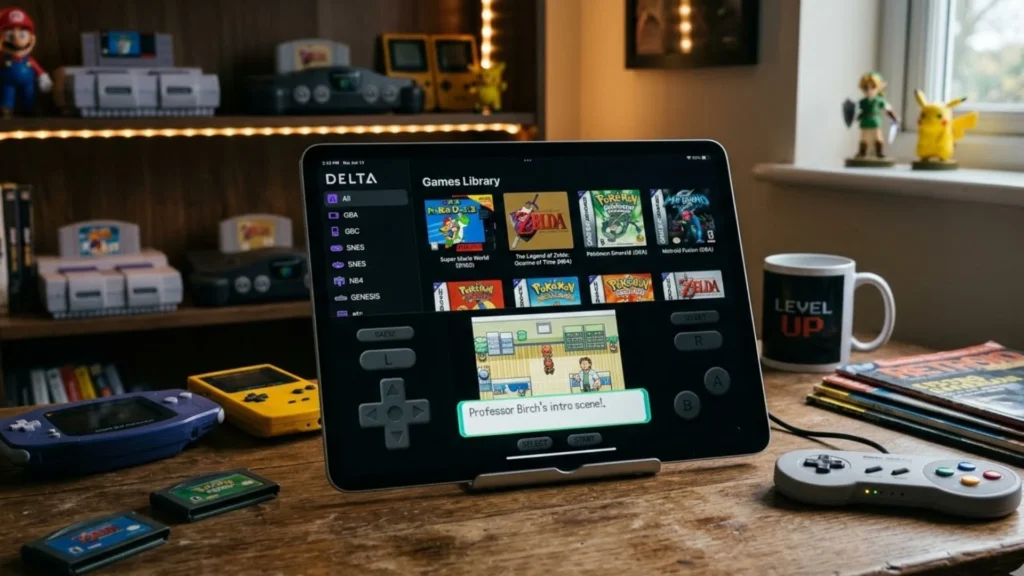
Okay, you have the app. Now you need the games.
We call these “ROMs.”
Technically, you should only download ROMs for games you own. Legally, it’s a gray area. Ethically? If you have the cartridge in a box somewhere, most people feel okay about it.
Finding the Games
You need to find the Delta emulator games’ iOS sources. Look for places that host “ROMs” for the Delta iOS-supported consoles. This includes:
- Game Boy (GB)
- Game Boy Color (GBC)
- Game Boy Advance (GBA)
- Nintendo (NES)
- Super Nintendo (SNES)
- Nintendo 64 (N64)
- Nintendo DS (NDS)
How to Get Them on Your Phone
- Find a ROM file. It usually ends in .gb, .gba, .nes, or .nds.
- Tap the file in your browser or Files app.
- Hit the “Share” button.
- Scroll to the Delta icon. Tap it.
- Boom. The game is now in your library.
Don’t overcomplicate it. If you struggle with delta ios roms guide, just remember: share to Delta. It’s that simple.
Making It Feel Real: Controller Support and Performance
Let’s be honest.
Touchscreen buttons are okay.
But they aren’t great.
When you are playing a fast-paced game like Super Mario World, your thumbs cover half the screen. You miss jumps. You get mad.
The delta ios controllers support is where this app shines.
You can connect almost any controller.
- Xbox Series X/S controller? Yes.
- PlayStation DualShock 4 or DualSense? Yes.
- Nintendo Switch Pro Controller? Yes.
Bluetooth is your friend. Connect it once. The next time you open Delta, just tap the screen. The touch controls disappear, and the controller takes over. It feels like a real console.
Performance Tips
The delta emulator ios performance is usually perfect out of the box. But if you want to tweak it:
- Go to Settings (the gear icon inside Delta).
- Look for “N64” or “NDS” settings.
- Turn on “Skip BIOS” to speed up loading.
- If a game feels slow, switch the “Threaded Rendering” option.
For the best experience on a big screen, the Delta emulator iPad version is a beast. It scales the games perfectly. Playing The Legend of Zelda: Ocarina of Time on a 12.9-inch iPad screen with a PlayStation controller? That’s peak gaming.
Delta iOS Latest Version: What’s New in 2026?
We are in 2026. The delta ios latest version isn’t just a bug fix. It’s an upgrade.
The biggest change is the Skin System.
Remember how the old touch screen looked boring? Gray buttons on a gray background? Now, you can download “skins” that look exactly like the old hardware.
- You can have a transparent Game Boy Advance skin.
- You can have a sleek, black Nintendo DS skin with the two screens stacked vertically.
- You can even make your own.
The latest iOS update features also improved Local Multiplayer.
You can now play Mario Kart DS with a friend who also has Delta, without being in the same room. It uses the internet to simulate the old “Download Play” feature. It’s magic.
Another cool addition is Sync. If you have an iPhone and an iPad, your save files sync between them. Start a game on your phone during the commute, pick it up on your iPad at home. No extra steps. It just works.
Delta iOS Settings: How to Get the Best Performance
You want your games to run buttery smooth. The delta iOS settings best performance setup takes two minutes.
For Nintendo DS Games:
DS games are tricky because of the two screens. In Delta, you can swap the screen positions. Hold your phone sideways (landscape). Tap the little screen icon. You can make the top screen big and the bottom screen small. For touch-heavy games like The World Ends With You, you can make the bottom screen huge.
For Audio:
Sometimes audio crackles. If it does, go into the Delta settings and toggle “Low Latency Audio” off. It saves battery anyway. If you are using delta emulator ios download free options from random sites (don’t do that), the audio might be bad. Always stick to the official AltStore source.
Save States
This is the superpower of emulation.
In the old days, you had to find a save point.
Now? Just swipe down on the screen (or press a button on your controller). A menu pops up. Hit “Save State.” You can save anywhere. Right in the middle of a boss fight. Right before a hard jump.
If you mess up? Load the state. No punishment. It feels like cheating. But it’s not. It’s just smart.
Troubleshooting the Annoying Stuff
Let’s talk about the flops. Because there will be flops.
The “AltStore Expired” Nightmare
Because Apple is Apple, free developer accounts expire after 7 days. If you don’t refresh AltStore (by opening it and tapping “Refresh” while connected to the same WiFi as your computer), Delta will stop opening.
It’s annoying. It’s like a subscription to nothing.
The fix? Set a reminder on your phone. “Refresh AltStore.” Every Friday.
If you miss it? Don’t panic. Just plug back into your computer and reinstall. Your game saves don’t disappear. They stay.
The Black Screen of Death
Sometimes, a game just loads a black screen.
This usually happens with N64 or DS games.
The fix? Go into the settings for that specific game. Turn off “JIT” (Just-In-Time) compilation if it’s on. Or turn it on if it’s off. N64 emulation is weird. It’s a grumpy old console that doesn’t like being told what to do.
Delta iOS Compatibility: Does It Work on My Device?
Worried your phone is too old?
Don’t be.
Delta ios compatibility iphone covers everything from the iPhone 6s all the way to the iPhone 17 Pro Max. If your phone can run iOS 14 or later, you are golden.
The same goes for iPad. The delta emulator iPad runs flawlessly. The bigger screen actually makes the DS games look better because you have more room for both screens.
The only thing that changes is the Nintendo 64 performance.
- iPhone 12 and older: Most N64 games run fine, but some (like Conker’s Bad Fur Day) might get choppy.
- iPhone 13 and newer: Everything runs like melted butter.
Conclusion: Why Delta iOS is a Game-Changer
Look, the App Store has thousands of games. But most of them want your money every five minutes. They want you to wait for energy to refill. They want to sell you gems.
Delta iOS is different.
It’s a throwback to a time when you paid once, and the game was yours. It respects your time.
If you have an iPhone or iPad, you owe it to yourself to try it. The setup takes ten minutes. The payoff is endless.
Whether you want to replay Mario 64, discover hidden gems on the Game Boy Advance, or show your kids what gaming was like before Fortnite, Delta Emulator iOS 2026 is the way to do it.
Stop waiting. Stop thinking about the old days. Bring them back.
Frequently Asked Questions (FAQs)
1. Is Delta iOS legal?
Yes, the Delta emulator itself is legal. It is a piece of software that emulates hardware. However, downloading copyrighted ROMs for games you do not own exists in a legal gray area. We recommend only playing games you have purchased physically.
2. Does Delta iOS work without a computer?
For the initial installation, you need a computer to set up AltStore. However, once installed, you can refresh the app over WiFi without reconnecting to the computer. There are also third-party “side-loading” services that offer installation without a PC, but the AltStore method is the safest and most reliable.
3. Can I play Nintendo DS games with two screens?
Absolutely. Delta has a dynamic screen layout. You can choose to display both screens side-by-side, stacked vertically, or make one screen large and the other small. You can also switch which screen is dominant with a single tap.
4. Will Delta iOS drain my battery?
Running emulation does use more battery than watching a video, but it is optimized. For DS and N64 games, you might notice about 15-20% battery drain per hour on modern iPhones. Using the “Low Power Mode” on your iPhone can help extend playtime.
5. How do I update to the latest Delta iOS version?
Open the AltStore app on your iPhone. Go to the “My Apps” tab. If an update is available for Delta, you will see an “Update” button next to it. Tap it. The app will refresh and update without deleting your games or save files.
References & Further Reading
- AltStore Official Website: The primary source for installing the Delta emulator iOS without jailbreak.
- Apple App Store Guidelines: For context on why emulators were restricted and how side-loading works legally.
- OpenEmu Project: An open-source emulation project that inspired many design choices in Delta’s interface.
- Riley Testut (Developer): Creator of Delta and AltStore; his blog posts and interviews provide deep insight into the technical challenges of delta emulator ios performance and the delta iOS supported consoles.
Read More: PlayStation Portal Review